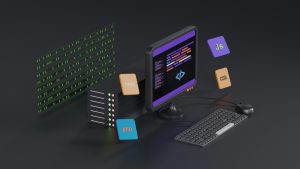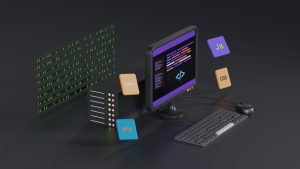
There is a quiet magic in swapping a lovable URL for a local HTML folder when the network dies. Instead of staring at a blank screen or a spinning loader, your Android app can reach into its own storage and serve a complete offline experience from plain HTML, CSS, and JavaScript files.
Why a local HTML folder changes everything
A remote URL is wonderful until the connection breaks. A local HTML folder, on the other hand, lives inside the app itself. It loads without a signal, opens instantly, and gives users the feeling that the app still cares about them even when the internet does not.
How the offline cloak works
The trick is to bundle your web content into the Android project and point a WebView at the local directory. When the network is available, the app can load the lovable remote URL. When the network dies, the app silently swaps that URL for a local HTML entry point and keeps the experience alive.
Designing the fallback without losing the brand
The local version does not need to be a perfect clone. It should keep the core navigation, the most important content, and the visual identity. A clean local HTML folder with cached assets, readable pages, and a few touch-friendly controls can feel surprisingly close to the real thing.
A faster route with WebViewGold
If hand-coding a WebView fallback feels like too much work, WebViewGold offers a quick and simple way to convert a website into an Android app. It handles the WebView setup and lets you focus on the local HTML folder and the offline experience, which makes the whole swap much easier to deploy.
What to store in the local folder
Keep the local folder lean. Include an index.html file, a stylesheet, a small script for offline navigation, and any essential images. Compress images and avoid heavy libraries. The goal is a fast, reliable shell that loads even on older devices with limited storage.
Detecting the network drop
Android exposes connectivity information that your app can monitor. With a simple listener, the WebView can switch from the remote URL to the local file path as soon as the connection drops. A small status indicator can let users know they are now viewing the offline version.
Making the transition feel seamless
The best offline cloak is the one nobody notices. Match the background color, keep the same font choices, and preserve the main layout proportions. When users tap a link and the local page appears in the same visual language, the switch feels like a natural part of the app rather than a downgrade.
Testing the offline mode properly
Turn on airplane mode and navigate through every important screen. Check that all internal links point to local files and that no hidden request tries to reach a dead server. A single missing image or broken style can ruin the illusion, so test on a real device with no network at all.
Keeping the remote URL as the primary experience
The lovable URL should remain the default whenever a connection exists. The local HTML folder is the cloak, not the king. On a stable network, users get the full remote experience. When the network dies, the local folder takes over and protects the app from becoming useless.
The payoff of a well-built offline cloak
Users remember apps that still work when everything else fails. Swapping a lovable URL for a local HTML folder is a small engineering effort with an outsized emotional reward. It turns a potential moment of frustration into a moment of quiet reliability.
You May Also Like
Lovable to Android QR Check- ...
November 4, 2026
Two-Faced WebView: Serving L ...
November 3, 2026