

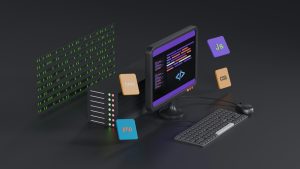
Building an Android app around a remote website is usually fast and convenient. The app loads the live URL, pulls in the latest content, and keeps everything synchronized with the web. But that convenience has a hidden weakness. When the remote server slows down, goes offline, or the user loses connection, the app can turn into a blank white screen or a frustrating error page.
The problem with remote-only webview apps
Most simple webview apps rely entirely on a single remote URL. If that URL is unreachable, there is nothing left to display. Users see a dead screen, and they quickly lose trust in the app. For businesses, this can mean missed orders, lost reads, or negative reviews that could have been avoided.
How offline fallback saves the user experience
An offline fallback switch gives your app a plan B. Instead of showing a blank page when the remote URL goes dark, the app automatically flips to a local HTML folder stored inside the app bundle. That local content can be a cached version of your homepage, a lightweight offline guide, a branded maintenance page, or any static HTML files you prepare in advance. The transition is seamless, so users still get something useful on screen.
Setting up a local HTML folder in WebViewGold
WebViewGold includes a dedicated offline fallback option that works without complex coding. You place your prepared HTML, CSS, and image files into a local folder within the project. Then you enable the fallback switch from the configuration panel. When the app cannot load the remote URL, it instantly uses the local folder instead of showing an error. Once the connection returns, the app goes back to the live website as usual.
When the switch happens automatically
The fallback does not require the user to press anything or restart the app. WebViewGold checks for connectivity and remote page availability in the background. If the remote response fails, times out, or the device has no internet access, the local HTML folder takes over. This keeps the app feeling responsive and reliable even in poor network conditions or during server maintenance windows.
Why WebViewGold makes this simple for Android
WebViewGold is a quick and simple solution to convert websites into apps for Android easily. Instead of writing custom network detection and fallback logic from scratch, you can rely on the built-in offline switch. The local folder approach works with standard HTML, CSS, and JavaScript, so you can reuse existing web assets without learning a new framework. It also pairs well with other WebViewGold features like push notifications, full-screen modes, and native navigation elements.
A dead remote URL does not have to mean a dead app. By flipping to a local HTML folder when the live site is unavailable, you protect the user experience and keep your Android app useful in every situation. WebViewGold handles the heavy lifting with a simple configuration toggle, so you can ship a more resilient app without extra development overhead.
You May Also Like
When Wi-Fi Dies, Serve Local ...
October 4, 2026
Airplane-Mode Android Apps W ...
October 3, 2026
Airplane-Mode Lovable Apps o ...
October 2, 2026