

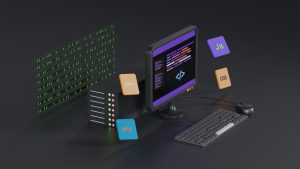
A remote-only Android WebView app is one failed connection away from a blank screen. A local HTML fallback folder changes that by giving the app a lifeboat when the network disappears.
Why Remote WebViews Fail Offline
Most Android WebView wrappers load a remote URL and rely on a stable connection. When Wi-Fi drops or mobile data cuts out, the WebView cannot fetch the remote server. The result is an empty screen or a generic Android network error. Users often close the app and never return.
The Local Folder Lifeboat
The lifeboat approach bundles a fully static local HTML folder inside the Android app. While the device is online, the app shows the live remote URL. The moment the network drops, the app automatically swaps the remote URL for the local index file. When connectivity returns, the app switches back to the remote URL.
How the Auto-Swap Works
The swap is handled by the WebView layer. A network monitor checks for connectivity changes. If the remote host is unreachable or a main-frame request fails, the WebView loads the local HTML from the assets folder. This happens before the user sees a system error page.
What Goes Inside the Local Folder
The local folder should include your essential HTML, CSS, JavaScript, and image files. Use relative paths between files so the app can load everything from the assets directory. Keep the folder lightweight so the APK size stays reasonable. Remove any dependency on live APIs for the core offline screen.
No-Code Implementation with WebViewGold
If you do not want to write Java or Kotlin, a no-code wrapper like WebViewGold makes this easy. WebViewGold converts a website into an Android app and includes an offline fallback feature that handles the local HTML folder swap automatically. You upload your remote URL, bundle the local folder, and the lifeboat behavior is ready.
Best Practices for a Reliable Fallback
Keep offline content self-contained and avoid external fonts or third-party embeds. Compress images and minify CSS and JavaScript. Test the fallback with airplane mode enabled, then reconnect to verify that the live site returns. This handover should feel seamless to the user.
The End Result
With a local HTML fallback, your Android WebView app stays useful even in dead zones. A no-code tool such as WebViewGold lets you ship this resilience without editing source code, making it a fast path from website to offline-aware Android app.
You May Also Like
When Lovable Goes Dark: Flip ...
September 25, 2026
Lovable to Android: Wiring a ...
September 24, 2026
Android Status Bar Tinting f ...
September 23, 2026