

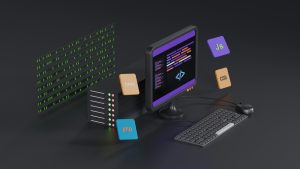
Why Offline-First Matters for Lovable Apps
Lovable gives builders a fast way to create polished web apps without writing every line by hand. The result is often a responsive, modern app that runs in the browser. The gap appears when users open that web app on an iPhone in airplane mode, in an elevator, or in a rural area with weak coverage. An offline-first approach keeps the core experience available even when the network is not.
The Pain Point in Standard WebView Wrapping
A basic webview wrapper loads a remote URL every time. If the connection drops, the user sees a blank screen or a browser-style error. That can make a Lovable-built product feel unfinished, even when the online version works beautifully. iOS users are especially likely to expect a native app to launch into something useful immediately.
WebViewGold’s Local HTML Fallback Switch
WebViewGold solves this with a local HTML fallback switch. Instead of pointing the wrapper only at a remote URL, you bundle a local HTML file inside the app. When the device is offline or the remote server cannot be reached, the app automatically serves the local HTML content. When connectivity returns, the app can load the live web app again.
How the Fallback Works in Practice
You upload your Lovable app’s static HTML export, or a lightweight offline page, into the WebViewGold project settings. The fallback switch tells the app to use that local file as a safety net. Users can still see your brand, read cached content, or interact with a simple offline mode instead of hitting a dead end.
Setting Up the Offline Experience on iOS
Start by exporting the essential screens of your Lovable app as static HTML. Keep the file size small so the app remains lightweight. Then enable the local HTML fallback option in WebViewGold and set your remote URL as the primary source. The app will attempt the remote URL first and fall back to the bundled file only when needed.
Bringing the Same Reliability to Android
WebViewGold also offers a quick and simple way to convert websites into apps for Android easily, using the same local HTML fallback logic. This means a Lovable web app can become a native Android app with offline protection without rebuilding the whole product. The setup stays approachable for solo builders and small teams.
What to Include in Your Fallback HTML
A useful fallback page should not be an empty shell. Include your app name, a short message about offline mode, and links to key local resources. You can also add a simple style that matches your Lovable app’s branding. The goal is to keep the user inside your app experience rather than sending them to a system error.
Final Thoughts
Offline-first iOS for Lovable-built web apps is within reach when you pair a well-exported local HTML file with WebViewGold’s fallback switch. The result is a more resilient app that respects real-world connectivity. And for teams going cross-platform, the same approach extends cleanly to Android without a steep learning curve.
You May Also Like
Face ID Before the First Tap ...
October 3, 2026
Face ID-Gating a Softr Clien ...
October 2, 2026
When Lovable Goes Dark: WebV ...
October 1, 2026