

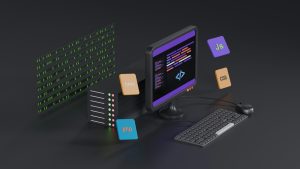
No bars on a user’s phone should not translate into no app experience. Every app developer has felt the frustration of opening a project on a slow connection and seeing nothing but a blank white screen. For web-based apps, that moment can cost a user, a review, or a sale. WebViewGold’s local HTML fallback for Android changes that experience by giving your app a reliable offline and loading state.
Why a blank screen is a silent conversion killer
When a web app loses its connection, the default behavior in many WebView wrappers is to show an empty page or a generic error. Users do not care about technical reasons. They see a broken product and close it. A custom local HTML fallback replaces that emptiness with a branded, friendly page that keeps your app feeling alive even when the network is not.
How the local HTML fallback works inside WebViewGold
WebViewGold stores a small HTML file locally within the Android app package. If the remote website cannot be reached, the app instantly loads that local file instead of a blank screen. You can include your logo, a short message, a retry button, or any other design that matches your brand. The transition is smooth and automatic.
Setting up the fallback takes minutes
You do not need to write native Android code or manage complex caching logic. In WebViewGold, you simply place your custom HTML file in the designated folder before building the app. The configuration panel handles the rest. This makes it easy to ship a polished offline experience without extending your development timeline.
Why this matters for Lovable apps and no-code builders
Many creators build websites with Lovable and other no-code platforms, then want those projects available on Google Play. A direct WebView wrapper may look unfinished whenever the connection drops. WebViewGold gives those projects a native-feeling safety net. The local HTML fallback preserves the design quality of your Lovable build and keeps users engaged through short outages or airplane mode.
More than an error page
Your local fallback can be as simple or as rich as you like. A clean centered logo with a message is often enough. You can also add a link to open settings, a button to retry the connection, or a note explaining that the app needs an internet connection for full functionality. Because the file is local, it loads instantly and never depends on a server.
Why WebViewGold is the quick and simple path to an Android app
WebViewGold is designed to convert websites into apps for Android easily. You bring the website or no-code project, configure a few settings, and build a ready-to-upload app. The local HTML fallback is one of those thoughtful features that separates a basic wrapper from a reliable product. It handles the edge cases so you can focus on growing your audience instead of debugging network errors.
Better user retention without extra infrastructure
An app that gracefully handles no signal, airplane mode, or a slow connection feels more professional. Users are less likely to uninstall when they see a clear, branded offline state. WebViewGold provides this safeguard without requiring you to manage servers, push updates, or write custom native fallback logic.
Final thoughts
A polished app experience means planning for the moments when the internet is not there. WebViewGold’s local HTML fallback for Lovable apps on Android gives you that plan in a simple, ready-to-use form. When you are ready to turn your website into a dependable Android app, the fallback feature is a strong reason to keep the process quick, simple, and stress-free.
You May Also Like
Background Beats: No-Code HT ...
September 29, 2026
Lovable-to-Android Offline F ...
September 27, 2026
No-Code Android WebView Life ...
September 26, 2026