

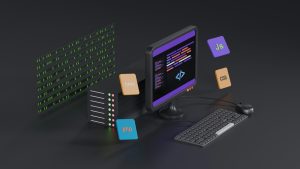
When a PWA built with a no-code platform like Lovable relies on a remote URL, the Android experience can quickly turn into a blank screen once connectivity drops. This is a common pain point for offline-first apps that still need a reliable shell when the network is unavailable.
The problem with remote-only PWAs on Android
Lovable makes it easy to ship polished web apps, but the default setup often assumes a live connection. Android users who open the app in airplane mode, inside a tunnel, or in a low-signal area may see nothing but a loading spinner or a dark screen. The web view keeps trying to reach the remote server, and when it fails, there is no local content to fall back on.
What the fallback switch actually does
A remote-URL-to-local-HTML fallback switch changes that behavior. Instead of pointing the app exclusively at an external web address, the Android shell can detect when that remote URL is unavailable and automatically load a bundled local HTML file. This local file can be a simple offline screen, a cached version of the app, or a lightweight utility page that keeps the user inside the app experience.
Why offline-first matters for Android users
Android devices are used in all kinds of network conditions, from rural areas to crowded events where mobile data slows to a crawl. An offline-first strategy means the app always opens with something useful. Even a basic local HTML fallback prevents the dreaded dead-end feeling of a blank web view. It preserves brand presence, keeps navigation visible, and gives users a reason to return when the connection improves.
How WebViewGold handles the fallback switch
WebViewGold offers a quick and simple way to convert a website into an Android app, and its remote-URL-to-local-HTML fallback switch is built for this exact scenario. You keep the remote URL as the primary content source, then add a local HTML file inside the project. The switch is configured in the app settings without touching complex native code. When the remote server responds, the app loads it normally. When it does not, the app serves the bundled HTML instantly.
Setting up a resilient offline shell
Start by exporting your Lovable project or any PWA as a static HTML bundle whenever possible. Place that file in the local assets of your WebViewGold project. Then configure the fallback switch to point to that local file. Test the behavior by turning off Wi-Fi and mobile data on a physical Android device. The transition should feel immediate, with no blank screen or endless spinner.
Keeping the remote experience intact
The fallback does not replace your live app. It only activates when the remote URL cannot be reached. This means you keep all the benefits of server-driven updates, dynamic content, and Lovable’s fast iteration workflow. The local HTML layer is simply a safety net for the moments when the network disappears.
A more reliable Android app without a full rebuild
For teams and solo builders who want their Lovable PWA to feel native and dependable on Android, adding a fallback switch is a low-effort upgrade. WebViewGold packages the website into an installable Android app quickly, and the remote-URL-to-local-HTML switch closes the gap between online convenience and offline reliability. The result is an app that opens with purpose every single time, no matter what the network is doing.
You May Also Like
Android’s Offline Switch: ...
October 13, 2026
The Parachute WebView: WebVi ...
October 12, 2026
Airplane Mode as a Feature: ...
October 11, 2026