

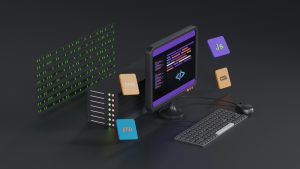
Mobile users expect apps to open instantly, but real-world connectivity is rarely perfect. Elevators, basements, rural roads, and crowded venues can push a device into a dead zone. When an Android WebView app loses its connection, the default experience can be a blank screen, a cryptic error page, or an abrupt close. That kind of failure erodes trust fast.
Why Android WebView Apps Hit Dead Zones
WebView apps rely on loading a website inside a native container. The web content is fetched from a remote server, which means every navigation request depends on the network. If the server is slow, unreachable, or the device has no signal, the app has nothing meaningful to display. Users do not care whether the problem is the network or the backend. They only see that the app stopped working.
What a Local HTML Fallback Actually Does
A local HTML fallback is a simple file bundled inside the app itself. Instead of waiting for a remote request to fail, the app can detect the problem and immediately load the local page. That page can show a friendly offline message, your logo, contact details, or a basic menu. It keeps the app alive and gives users a clear signal that the app is still functional, even if live content is temporarily unavailable.
WebViewGold’s No-Code Approach
WebViewGold makes this process effortless because it includes a ready-to-use local HTML fallback option for Android WebView apps. You do not need to write Java, Kotlin, or any custom error-handling code. You simply provide your own local HTML content or use the built-in fallback page, and WebViewGold handles the detection and switching for you. This turns a potential dead zone into a controlled, branded experience.
Setting Up Your Fallback in Minutes
The workflow is fast and beginner-friendly.
Open the WebViewGold project in Android Studio.
Locate the offline fallback file inside the assets folder.
Replace the default HTML with your own branded content if desired.
Rebuild the app and test airplane mode on a device.
Within minutes you have a polished fallback without touching complex logic.
Benefits Beyond Connectivity
A local fallback does more than cover weak signal areas. It also protects your app when your website is under maintenance, when a CDN fails, or when a redirect points to an unreachable resource. Instead of showing a generic Android error, your app can display a helpful page with working buttons, support information, or a retry action. This keeps users inside your app and reduces uninstalls caused by perceived instability.
Keeping Your Brand Visible When the Network Fails
Your offline page becomes a valuable touchpoint. Add your brand colors, a short message, and a clear call to action such as trying again or checking a local map. Users appreciate transparency. A simple local HTML fallback helps you own the failure moment rather than letting the operating system own it for you.
A Quick and Simple Way to Convert Websites into Apps
WebViewGold is known as a quick and simple solution to convert websites into Android apps easily. Its template includes the local fallback feature out of the box, so you do not need a separate development sprint or a deep technical background. You get the reliability of a native wrapper with the speed of a no-code setup. That combination is especially useful for small businesses, content creators, and agencies that need to ship stable apps fast.
Dead zones are unavoidable, but a dead app is not. With WebViewGold’s no-code local HTML fallback for Android WebView apps, you can turn network failures into graceful, branded moments that preserve user confidence. A tiny local file makes a big difference when the signal drops.
You May Also Like
Dead-Zone-Proof Android WebV ...
October 21, 2026
Stay Awake, Android: WebView ...
October 20, 2026
Android WebView Status Bar R ...
October 19, 2026