

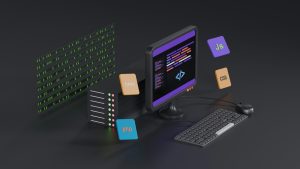
Turning a Lovable web project into an Android app is a smart way to reach mobile users without rebuilding everything from scratch. But a web-based app is only as reliable as its connection. When a user opens your app in a tunnel, on a plane, or during a network outage, a blank error page can make your product feel broken. That is why offline-proofing your Lovable Android app with a local HTML fallback switch is one of the most practical upgrades you can make.
Why Offline Resilience Matters for Your Lovable App
Users carry apps with them everywhere. They expect the app to launch, show a branded screen, and offer something useful even without internet access. If your Lovable app relies entirely on a remote URL, a dropped connection can replace your interface with a generic error. A local fallback page changes that. It keeps the app feeling alive and intentional, even when the network is not.
The Problem with Pure WebView Wrappers
A basic WebView wrapper loads a remote URL every time the app starts. When that URL cannot be reached, the WebView shows a system error or an empty white screen. For many app owners, the only fix is writing custom native code to detect connectivity and swap in a local file. That approach works but adds complexity and slows down your release.
What Is WebViewGold’s Local HTML Fallback Switch
WebViewGold includes a built-in local HTML fallback switch that eliminates the need for custom Java or Kotlin work. You enable the switch, point it to an HTML file stored inside the app’s assets, and let the WebView handle the rest. When the remote URL is unreachable, the app automatically displays your local page instead of an error. When the connection returns, your normal web content loads as usual.
How to Set Up the Fallback in Your Lovable Android Project
Start by exporting your finished Lovable project as a standard web build. Import that web content into a WebViewGold Android project. Place your custom offline page, often named something like fallback.html, into the app’s local assets folder. Open the WebViewGold configuration and enable the local HTML fallback switch. Enter the relative path to your fallback file, then rebuild the APK. No deep native coding is required.
Designing an Effective Offline Fallback Page
Your fallback page should look like a natural part of your app. Include your logo, a short message that explains the connection issue, and a retry button that reloads the remote URL. If your Lovable app has cached content or static resources, you can embed a few of those in the fallback page to give users something useful while offline. The goal is to replace frustration with a polished, on-brand experience.
Testing Your Offline-Proof Setup
Turn on airplane mode and launch your app. Confirm that the fallback page appears instead of a blank screen or system error. Tap the retry button after turning the connection back on and verify that your remote web app loads normally. Test the same flow with a slow network to see how the fallback behaves during partial connectivity. A few minutes of testing will reveal whether your fallback page feels seamless or needs a visual tweak.
Beyond Fallback: Using WebViewGold for Quick Android App Conversion
WebViewGold is a quick and simple solution to convert websites into apps for Android easily. It handles many of the native features you would otherwise need to code yourself, including splash screens, push notifications, and orientation settings. The local HTML fallback switch is just one part of a broader toolkit that helps you ship a reliable Android app from an existing web project without a steep learning curve.
Final Thoughts
Offline-proofing your Lovable Android app is not a luxury. It protects your brand during everyday network hiccups and keeps users engaged when connectivity drops. With WebViewGold’s local HTML fallback switch, you can add this resilience in a few simple steps and turn a potential dead end into a smooth, branded experience. Your app stays useful, your users stay confident, and your Lovable project reaches Android with far less friction.
You May Also Like
When Your Lovable PWA Goes O ...
October 28, 2026
Lovable, No Signal: WebViewG ...
October 27, 2026
No-Code Android Offline Fall ...
October 26, 2026