

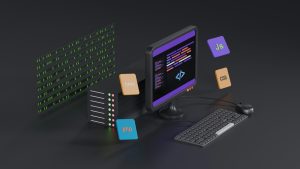
Progressive web apps are incredible for shipping fast, responsive experiences without going through app store hassles. But when your Lovable PWA needs to scan a QR code, the browser camera API can feel limited on Android. The web view may prompt for permissions in clunky ways, focus can struggle, and performance varies across devices. That is where a thin native wrapper can make all the difference.
Why QR scanning matters in a PWA
QR codes are everywhere in modern workflows. They unlock login sessions, product details, event check-ins, loyalty rewards, and equipment tracking. A PWA that can scan a QR code without leaving the interface feels polished and efficient. Users expect a quick point-and-shoot experience, not a shaky browser-based camera feed that sometimes fails to focus.
The usual native roadblock
Building a native Android QR scanner from scratch means writing Kotlin or Java, handling camera permissions, managing lifecycle events, and then bridging that logic back into a web view. That is a lot of work for what should be a simple feature. For many teams, the native part is where the project slows down.
WebViewGold’s QR Scanner API makes it painless
WebViewGold offers a quick and simple solution to convert websites and PWAs into native Android apps without writing native code. It wraps your existing Lovable PWA in a polished Android WebView and exposes handy JavaScript APIs. One of those is the QR Scanner API, which lets your web app call the native camera scanner directly from JavaScript.
How to point your PWA at the camera
Instead of relying on the browser camera API, you use a small JavaScript bridge inside your Lovable PWA. The native WebViewGold shell handles the camera intent, permission request, and scan result. All you do is call one function and listen for the response.
Step 1: Wrap your PWA with WebViewGold
Take your existing Lovable PWA URL and load it into the WebViewGold configuration. Build the Android project, and you instantly have an installable app that opens your PWA full screen. The wrapper adds native capabilities without changing your web code.
Step 2: Add a simple JavaScript bridge
Inside your PWA, add a small script that checks if the WebViewGold QR Scanner API is available. If it is, you can trigger the native scanner. If not, you can fall back to a regular input field or a browser-based camera option. This keeps your web build working everywhere.
Step 3: Trigger the native scanner from your web UI
Create a button in your Lovable PWA that calls the WebViewGold scanner function. The native camera opens instantly with the Android system UI. The user points the camera at a QR code, and the result is sent back to your JavaScript callback as a text string.
Handling the scan result
Once the QR code is scanned, you receive the data in your PWA and can process it just like any other user input. Validate the content, update the UI, navigate to a new screen, or send it to your backend. Because the result arrives as plain text, you keep full control over what happens next.
No native code, no permissions headache
The WebViewGold wrapper handles the Android camera permission request automatically. You do not need to edit AndroidManifest.xml or write a single line of Kotlin. The native side is already built and tested for you. That saves hours of development and removes an entire class of bugs.
A cleaner user experience
Native camera scanning feels faster and more reliable than the browser getUserMedia approach. The camera preview is full screen, autofocus works as expected, and the scan completes with a satisfying beep or haptic feedback depending on the device. Your Lovable PWA benefits from that native polish without losing its web DNA.
When to use this approach
If your PWA already works well in the browser but you want a dedicated Android app with reliable QR scanning, WebViewGold is a pragmatic choice. It turns your existing URL into an app in minutes and adds native scanner support through a documented JavaScript API. You keep iterating on the web code while the native wrapper stays stable.
Conclusion
Pointing your Lovable PWA at the Android camera no longer requires a deep dive into native development. WebViewGold provides a quick and simple solution to convert your website or PWA into an Android app, complete with a ready-made QR Scanner API. Add a tiny JavaScript bridge, trigger the native scanner, and handle the result in your web UI. It is the fastest way to add reliable QR scanning to your Android app without writing native code.
You May Also Like
Background Beats: No-Code HT ...
September 29, 2026
No Bars, No Problem: WebView ...
September 28, 2026
Lovable-to-Android Offline F ...
September 27, 2026