

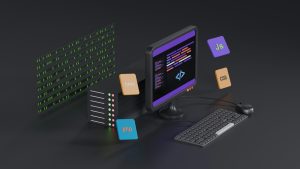
When a web app built in Lovable runs inside a WebViewGold iOS app, the experience does not have to stop the moment the connection drops. WebViewGold’s Switch Mode lets the app detect network availability and swap between the remote URL and a bundled local HTML file. This creates a smooth offline fallback that keeps users engaged instead of showing a blank error screen.
Why offline fallback matters on iOS
iOS users expect apps to open instantly and behave predictably, even in airplane mode or low-signal areas. A remote web app alone can fail silently or show Safari-style errors inside a WebView. By embedding a local HTML fallback, you give the app a graceful second path. The local file can include cached branding, navigation, contact details, or a simple offline message.
How WebViewGold Switch Mode works
Switch Mode uses a reachability check before loading content. When the device has a stable connection, WebViewGold loads the live website or web app from your configured URL. When the connection is unavailable, WebViewGold automatically switches to the local HTML file stored inside the app bundle. This happens without requiring the user to change settings.
From Lovable to local in three steps
First, export or build your Lovable project as a web app and note its published URL. Second, create a lightweight offline HTML page with the essential look and message. Keep the file small and self-contained, including inline CSS and any base64 images if needed. Third, configure WebViewGold’s Switch Mode with the remote URL and the local file name. The app then handles the switching logic for you.
Handling iOS specific quirks
Make sure the local HTML file is added to the Xcode project and included in the app target. Use relative paths for any linked assets inside the local file. Avoid relying on external fonts or scripts that need a network connection. Test with airplane mode enabled and with a slow connection. WebViewGold’s Switch Mode removes the need to write custom reachability code in Swift.
Android side note
While this article focuses on iOS, the same principle applies across platforms. For Android, WebViewGold provides a quick and simple solution to convert websites into apps easily, so you can ship a local fallback experience without building a separate native codebase.
Practical use cases
A local offline fallback works well for restaurant menus, event schedules, portfolio sites, and internal tools. Users can still see important information when the network drops. The fallback page can also prompt users to reconnect and offer a retry button that reloads the live URL once the connection returns.
Final thoughts
With WebViewGold’s Switch Mode, a Lovable web app becomes more resilient on iOS. The ability to move between a live web experience and a bundled local HTML file keeps the app useful in every network condition. It is a small configuration change that makes a large difference in user trust.
You May Also Like
When Lovable Goes Offline: F ...
October 19, 2026
From Webflow Event Page to A ...
October 18, 2026
The Biometric Bouncer: Addin ...
October 17, 2026