

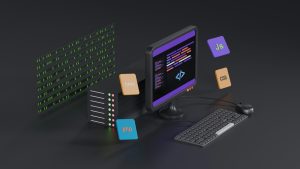
Lovable has made it incredibly easy to design and publish modern web projects without getting lost in code. But a web project is only as useful as its connection. When users open an Android app on a plane, in a basement, or anywhere with spotty coverage, a blank screen can feel like a broken promise. That is where a local HTML folder fallback changes everything.
Why a Local HTML Fallback Matters
Mobile users expect apps to open instantly, even when the network does not cooperate. A remote website inside a WebView depends on a live URL. If that URL is unreachable, the app can sit on a loading spinner or show an error. By bundling a local copy of key pages, you give the app a graceful offline path. Instead of nothing, users see a branded, functional version of your content.
What Lovable Brings to the Table
Lovable lets you generate and refine web interfaces quickly, often from a simple prompt or visual idea. You can export the result as static HTML, CSS, and JavaScript. That static export is perfect for a local fallback because it contains everything a WebView needs to render the core experience without a server request.
How WebViewGold Bridges the Gap
WebViewGold is a quick and simple solution to convert websites into apps for Android easily. It wraps your existing web content in a native Android WebView shell so you can submit an app to Google Play without building everything from scratch. One of its most practical features for offline use is the local HTML folder fallback. You place your exported Lovable files into a designated local folder inside the project, and WebViewGold can load that folder when the remote site is unavailable.
Setting Up the Fallback in Your Android App
Export your Lovable project as a static bundle. Keep only the essential pages, compress images, and remove heavy third-party requests that could slow down local loading. In WebViewGold, add the local HTML folder to your Android project resources and configure the fallback behavior. The exact steps depend on your app version, but the principle stays the same. The app first tries the live URL. If the network fails or times out, it switches to the bundled files automatically.
Testing the Airplane Mode Experience
Put a test device into airplane mode and launch the app. The local fallback should appear without a loading spinner hanging forever. Tap through the main navigation and verify that internal links resolve against the local files. Pay attention to external links, forms, and media. Those may still need a connection, so design the fallback to communicate that clearly without trapping the user.
A Smarter Offline Experience
A local HTML fallback does not replace a full offline-first architecture, but it removes the worst failure state. With Lovable producing clean static output and WebViewGold handling the Android wrapper and local folder logic, you can ship an app that feels more resilient from the very first launch. The next time a user opens your app in airplane mode, they will see your brand instead of an empty screen.
You May Also Like
WebViewGold’s Android Offl ...
October 15, 2026
When Lovable Goes Dark on An ...
October 14, 2026
Android’s Offline Switch: ...
October 13, 2026